
This post may contain links to affiliate websites, and we receive an affiliate commission at no extra cost to you for any purchases made by you on the affiliate website using such links. Please read our affiliate disclosure here.
Learn how to create a website from scratch. You don’t need any technical experience.
Use your website for blogging, freelancing, side hustling, business and so much more.
Whether you want to start a blog or create a website for your business, the set up is exactly the same.
In this time, anyone can create a website without the knowledge of coding, web development or design.
Having a website is the very first step to generating passive income for yourself especially if you want to set up an online business and make money online from home.
If you want to be earning significant passive income online, you need to create a WordPress website that belongs to you.
You can create a website from scratch where you can earn money online from home even while you sleep is not complicated.
And it can be done in under an hour.
Just follow the instructions in this blog posts and your own website will be up and running.
What you’ll get by the end of this page
- A self-hosted WordPress site
- The best settings that I recommend
- A customized theme
- A custom domain email address (you@yourdomain.com)
- Necessary tracking codes installed (Google Analytics)
How Much Does It Cost To Create A Website?
This guide is completely free, you will only pay for the services necessary for you to create a website. Your total cost depends on how much you’re ready to pay upfront. But $100 will cover your cost for at least one year. And $200+ can cover your cost for 3years.
Do This Before You Start Following This Guide
- Use Google Chrome as your web browser
- Keep the tabs open, as we will keep coming back to them
- Write down your login details. Preferably you can use a jotter
- You can print this guide or open it on your phone while you make reference to it as we create your website
So, let’s get started.
Step 1. Set Up Your Website
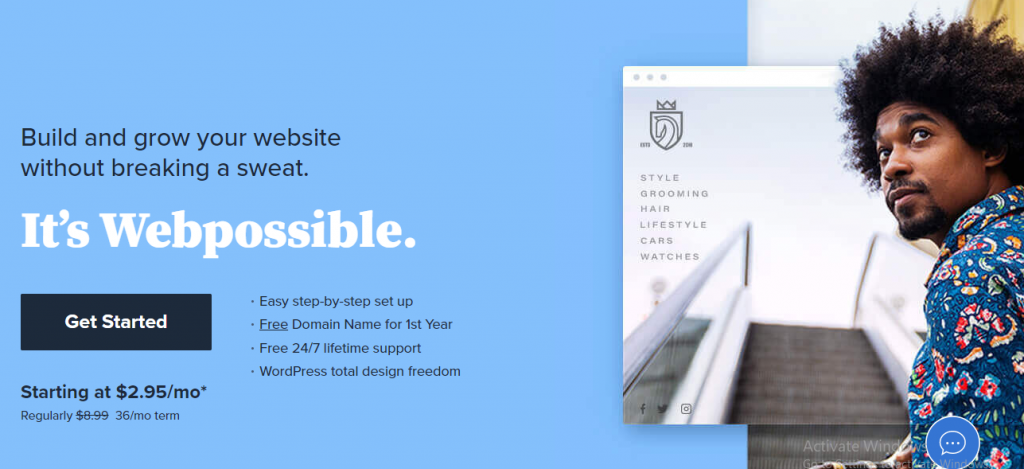
- Go to bluehost (this link gets you a discount)
- Click Get Started
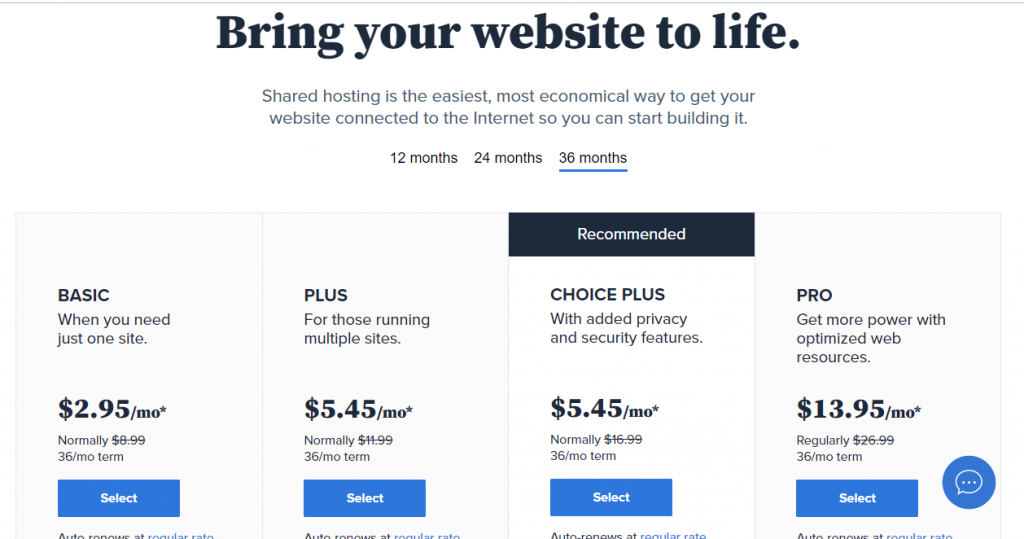
- Select the Basic plan if you need just one website. But if you’re building multiple sites, then select the “Plus” or “Choice Plus” plan.
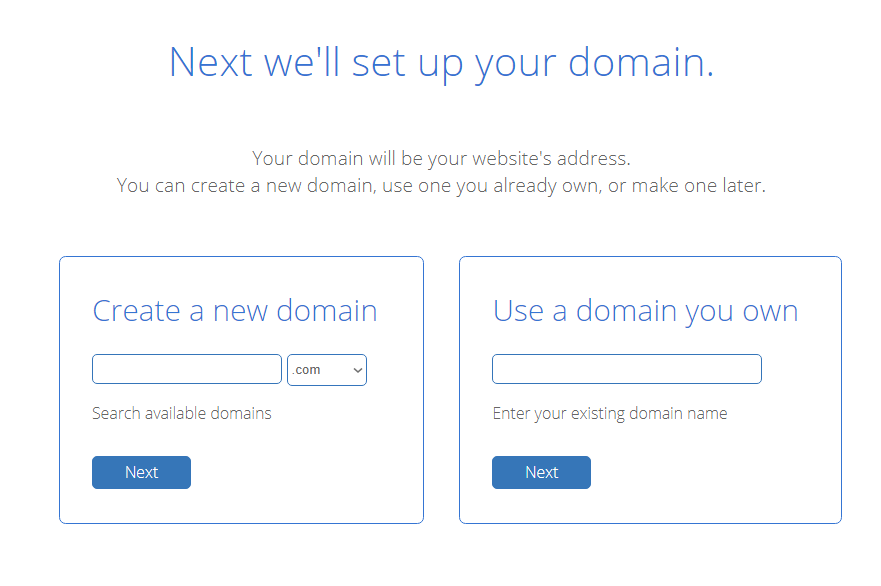
- Enter the domain name you want to use for your site. Use .com. Example loismelikam.com trustedreviewsite.com. Then click Next. If your domain is take, try another. If you already have a domain name registered elsewhere, you can add it here.
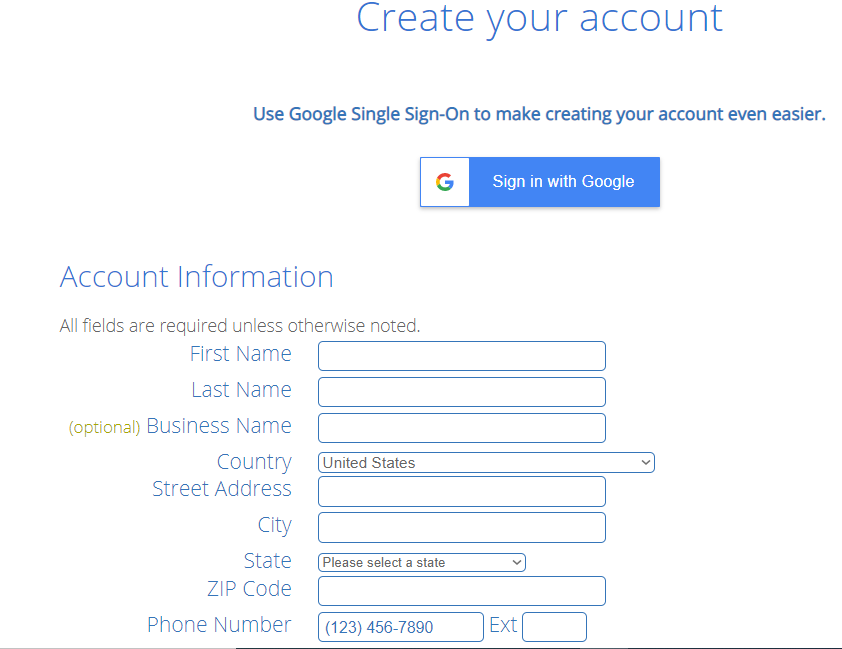
- Enter your account information.
- Under Package Information, choose an account plan based on how far in advance you want to pay upfront. With the Basic Plan, you can lock in three years of hosting with this discount code for a little above $106 and don’t worry about paying for hosting till 3 years later. (There’s a 30 day money back guarantee, so no worries!)
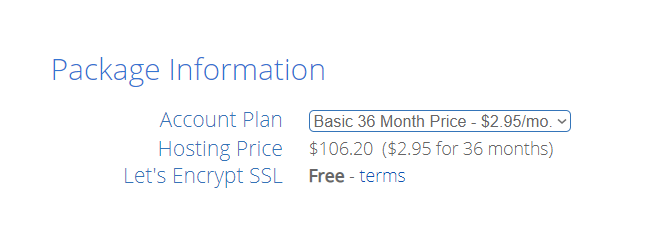
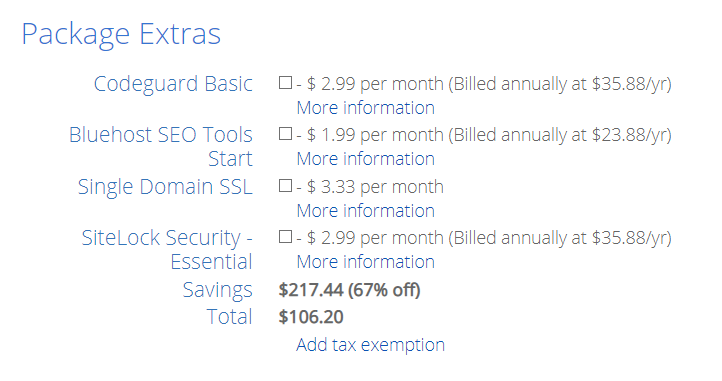
- Uncheck the package extras.
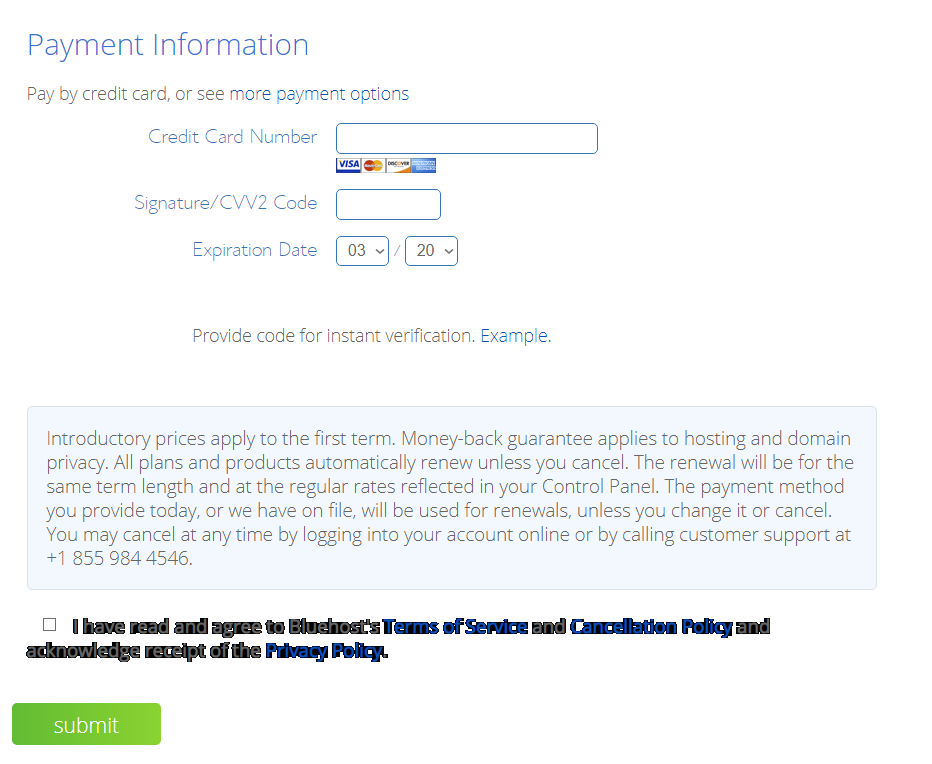
- Enter your payment information, agree to the terms and submit your payment
Kindly share this post with your friends and family, and also follow me on Pinterest
Pingback: How To Become A Virtual Assistant | Website Creator | Wordpress Tutorials
Pingback: 5 Essential Tools You Need To work From Home | Website Designer And Wordpress Expert
Pingback: How to set up your pinterest Business account for | Website Designer And Wordpress Expert
Pingback: The Top 3 Side Hustle That Actually Works | Freelance Writer | Blogger | Website Creator
Pingback: Learn Affiliate Marketing For Beginners | Create Your Website | Work From Home | Make Money Online
Dimma, this is very helpful. Chatting you up right away.
Glad you found it very helpful, and can’t wait to see your own website. As always I available for assistance.
Pingback: Affiliate Marketing Guide For Beginners - Blogging Tips | Make Money Online
Pingback: The Top 3 Side Hustle That Actually Works - Blogging Tips | Make Money Online
Pingback: best feminine wordpress theme for bloggers | Personal Websites | Online Business Ideas
Pingback: 10 online business ideas you can start quickly | Personal Websites | Online Business Ideas
Pingback: how to start an online business (While Working Full Time) | Personal Brand Websites | Online Business Ideas
Pingback: My First Blog Income Report - $200 | Make Money Online At Home - Create A Website
Pingback: How To Start An Email List From Scratch | Make Money Online At Home - Create A Website
Thank you so much for the second day course.
It’s my pleasure
Pingback: How To Set Up A Successful Online Business From Scratch | Make Money Online At Home - Create A Website
Pingback: How To Apply For Google Adsense And Get Approved | Make Money Online At Home - Create A Website
Pingback: How To Claim Your Website On Pinterest (Step By Step Guide) | Make Money Online At Home - Create A Website
Pingback: How To Point Nameservers From Namecheap To Bluehost | Make Money Online From Home
Pingback: How To Make Money Selling Canva Templates | Learn to Start a Mom Blog
Pingback: How To Set Up Woocommerce To Sell Digital Products | Learn to Start a Mom Blog
Pingback: How To Make Money Online In Nigeria | Learn to Start a Mom Blog
Pingback: 17 Best Tools For Creating And Selling Digital Products | Learn to Start a Mom Blog
Pingback: How To Create Content For Your Blog | Learn to Start a Mom Blog
Pingback: How To Get Traffic To Your Website | Learn to Start a Mom Blog
Pingback: How To Make Money Online | Learn to Start a Mom Blog
Pingback: How To Start An Email List | Create a website from scratch
Pingback: How To Start Affiliate Marketing in 2021 | How To Create A website from scratch
wonderfull